Watchlists
Star symbols into named lists with live prices, recent alerts and notes.
Pro
Watchlists are a Pro feature. The ★ star on any card, table row or symbol page adds it to your default My Watchlist; you can also keep separate named lists.
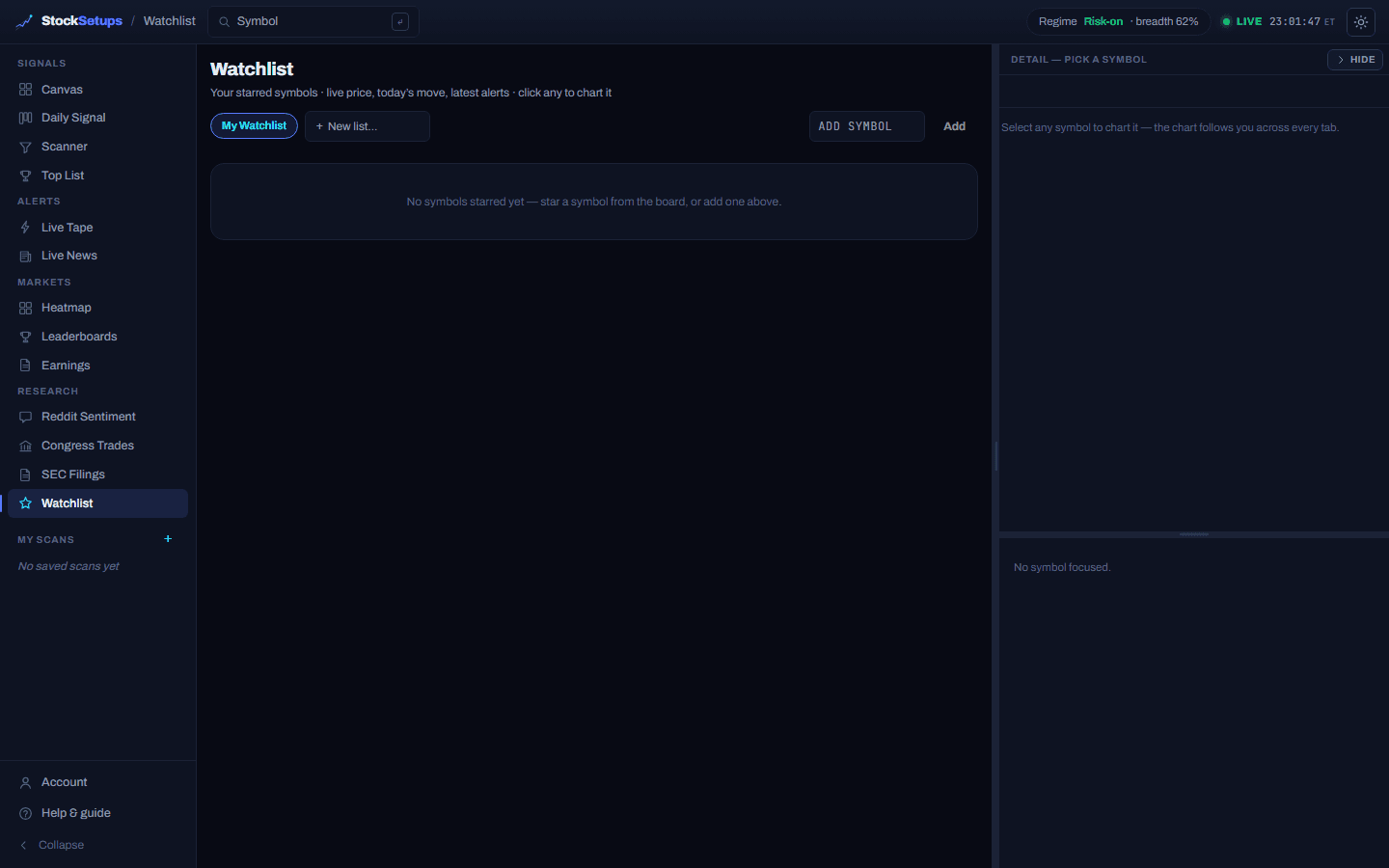
- List switcher
- Chips across the top switch between My Watchlist and any named lists you create.
- + New list
- Type a name and press Enter to create a separate list; Delete removes a named list.
- Add a symbol
- Type a ticker and click Add to drop it into the current list.
- The table
- Live price, today's %, volume, your last 3 intraday alerts and last 3 daily signals per name — columns sort, reorder and resize. Click a row to chart it.
- Why it's here
- An inline note field on each row (Enter to save, Esc to cancel) so you remember why you added it.
In the workspace, a window's header can point at any list or saved scan, so you can pin a watchlist beside the tape and charts. The email digest can be scoped to only your watchlist — see Notifications.
Related
Account, billing & appearanceManage your plan and trial, switch cadence, and set the theme and time zone.Email digest, custom alerts & webhooksSet up the after-close email digest, your own alert rules and price alerts, and push alerts to Discord, Slack or a webhook.The Daily Signal boardTonight's setups sorted into four lanes, each a full chart with a trade plan.
Keep exploring
Trading glossaryPlain-English definitions of every pattern, candlestick, indicator and term.Free trading toolsPosition size, risk/reward, pivots and Fibonacci — no signup.Articles & guidesDeeper write-ups on setups, indicators and trading the scan.FAQHow the two engines, the data and the plans actually work.ComparisonsHow StockSetups stacks up against the scanners you know.Live scan hubsSee today's setups for each pattern, updated after every close.