Symbol pages & charts
Every ticker's full public dossier, plus the chart controls shared across the app.
Public
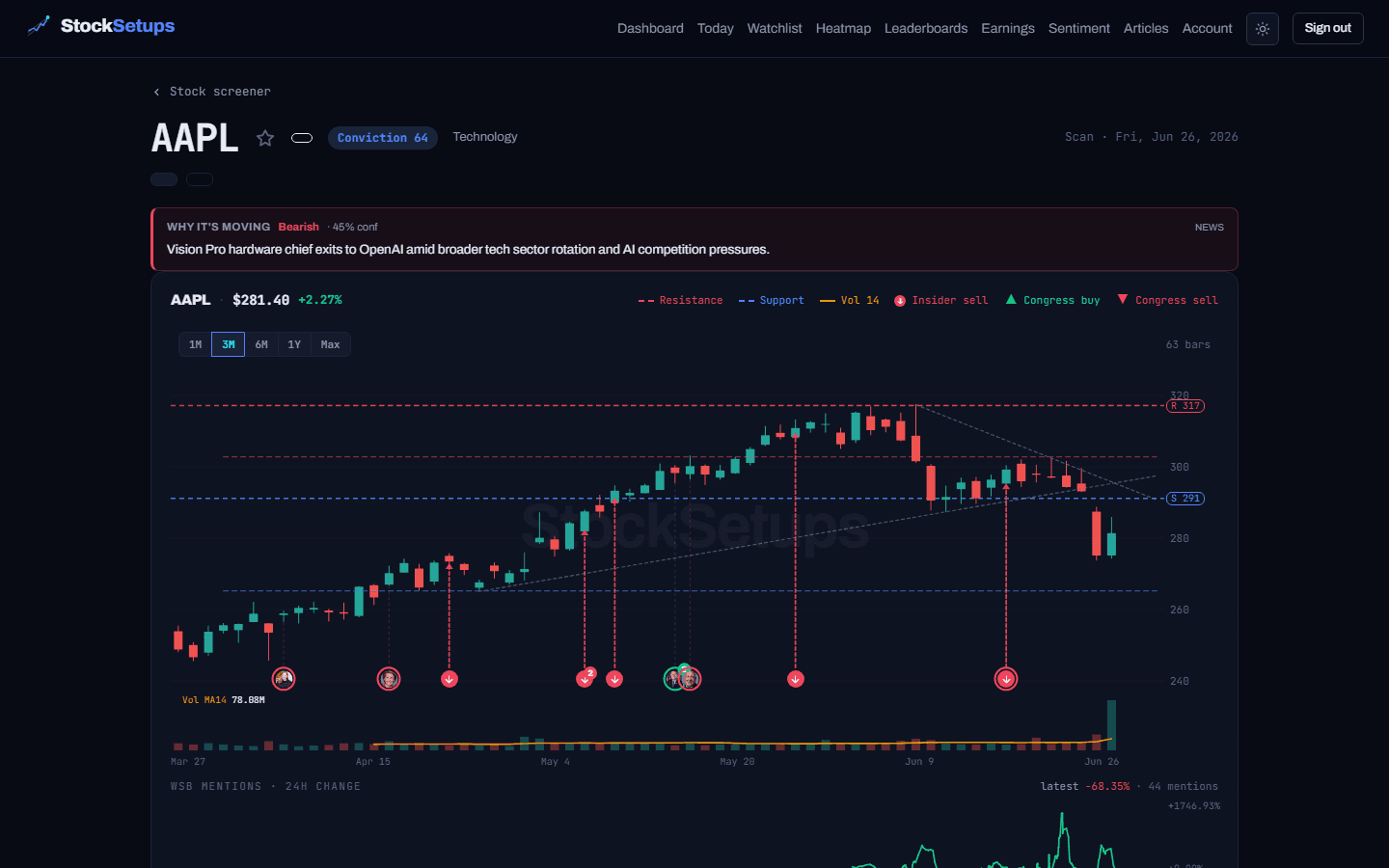
Every ticker has a public detail page at /symbol/SYMBOL — no login required. Inside the dashboard, the same dossier loads in the right-hand detail panel whenever you click a symbol.
What's on a symbol page
- Live last price and day change, a conviction badge, and a one-line AI “why it's moving” catalyst
- The full chart with drawn pattern levels (support/resistance), insider and Congress trade markers, and a WSB-mentions strip
- A trade plan: entry, stop, target and risk:reward
- A snapshot grid of technicals and fundamentals, and a lane-progression timeline
- Recent news, Congress trades, insider (Form 4) activity and SEC filings
Chart controls
These are shared by every chart in the app — symbol pages, the detail panel, the board and the workspace.
- Range buttons
- Switch the lookback (1M, 3M, 6M, 1Y, Max). Your choice is remembered per surface.
- Indicators
- Toggle SMA / EMA overlays and lower-panel oscillators (RSI, MACD, Stochastics and more). A badge shows how many are on.
- Annotations
- Show or hide the drawn pattern lines, breakout arrow, retest zone, candle highlight and level labels (Show all / Hide all).
- Chart type
- Candle, Hollow, Bar, Line, Area or Baseline.
- Draw tools
- A trend ray (two clicks) and a horizontal level (one click); Clear removes your drawings.
Prices are real, NBBO-quality prints from Databento. Displayed volume is calibrated against the consolidated session total — the freshest minutes are an estimate, but ratio signals (RVol) are unaffected. More in the FAQ.
Related
Keep exploring
Trading glossaryPlain-English definitions of every pattern, candlestick, indicator and term.Free trading toolsPosition size, risk/reward, pivots and Fibonacci — no signup.Articles & guidesDeeper write-ups on setups, indicators and trading the scan.FAQHow the two engines, the data and the plans actually work.ComparisonsHow StockSetups stacks up against the scanners you know.Live scan hubsSee today's setups for each pattern, updated after every close.