Finding your way around
The top bar, the grouped left nav, and the symbol detail panel that follows you.
Free & Pro
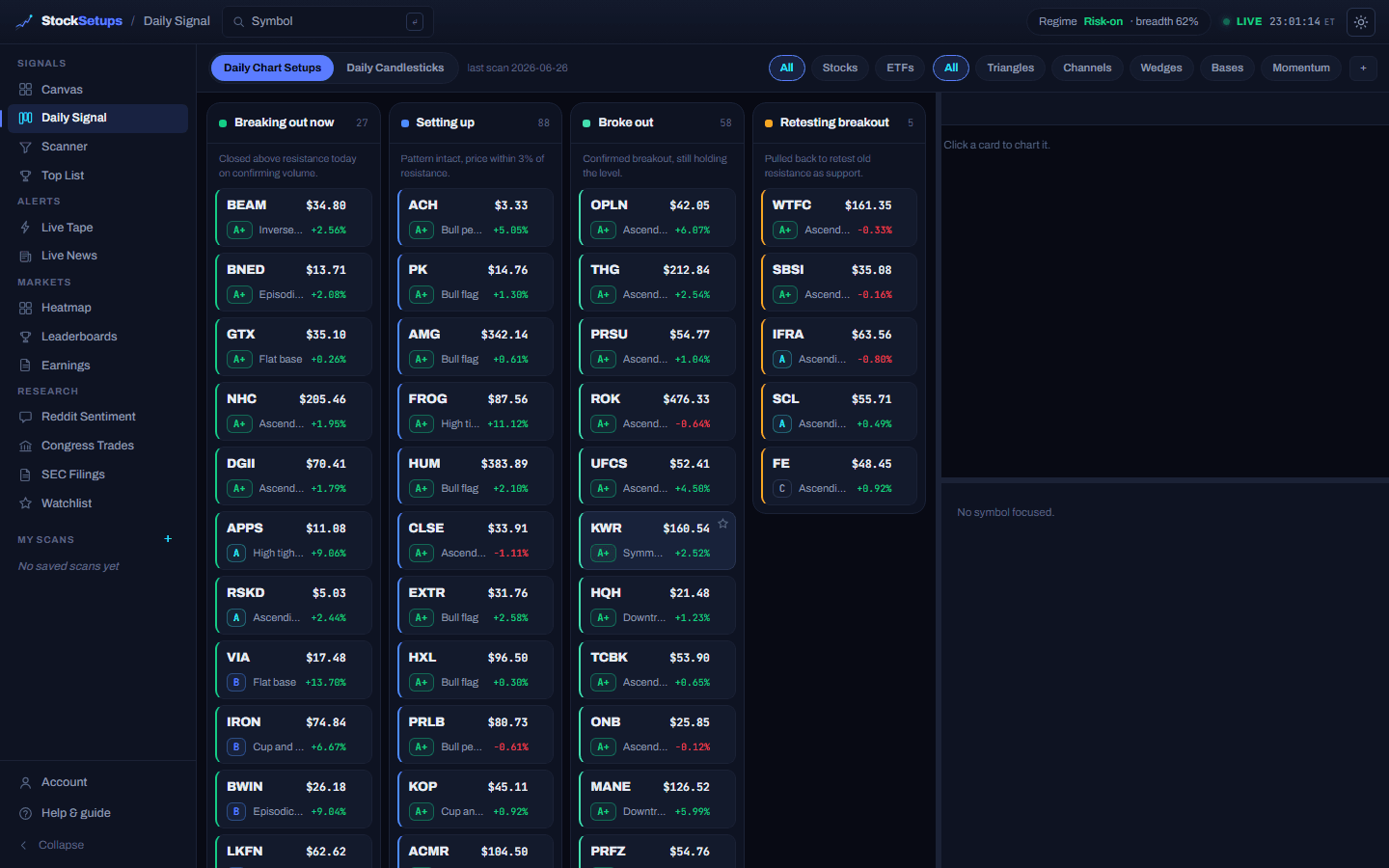
There are two navigation areas. The top bar appears on every page; inside the dashboard, a grouped left nav switches between workspace tools, and a detail panel on the right follows whatever symbol you click.
The top bar
- Symbol search
- Type any ticker to pull up its chart and dossier in the right-hand detail panel.
- Regime pill
- The current market regime (Risk-on / Neutral / Risk-off) and breadth %, from the nightly market read.
- LIVE / DELAYED
- Pro shows a green LIVE pill with a session clock. Free shows DELAYED with a “Go live →” upgrade link.
- Theme toggle
- Switch between dark and light. It is one global per-device preference and applies everywhere.
- ☰ menu (mobile)
- On phones the left nav collapses behind the hamburger; tap to open the drawer.
The left nav (inside the dashboard)
- Signals
- Canvas (multi-window), the Daily Signal board, the Scanner, and the Top List.
- Alerts
- Live Tape (the streaming alert feed) and Live News.
- Markets
- Heatmap, Leaderboards and Earnings — public market pages.
- Research
- Reddit Sentiment, Congress Trades, SEC Filings and your Watchlist.
- My Scans (Pro)
- Your saved scans pinned for one-click reload; the + starts a new scan.
- Help & guide
- Opens this help center. Collapse (below it) shrinks the nav to an icon rail — your choice is remembered.
Opening the bare /dashboard reopens the last tab you used.
The detail panel
The collapsible panel on the right of every workspace page is a mini symbol dossier — a chart on top, key technicals and fundamentals below. Click any symbol on any board and the panel follows it, no page change. Drag its left edge to resize it, drag the mid-line to change the chart/info split, or hit Hide to reclaim the space. On phones it becomes a swipe-up bottom sheet.
Related
Keep exploring
Trading glossaryPlain-English definitions of every pattern, candlestick, indicator and term.Free trading toolsPosition size, risk/reward, pivots and Fibonacci — no signup.Articles & guidesDeeper write-ups on setups, indicators and trading the scan.FAQHow the two engines, the data and the plans actually work.ComparisonsHow StockSetups stacks up against the scanners you know.Live scan hubsSee today's setups for each pattern, updated after every close.