The Scanner
A Finviz-style screener over every technical and fundamental field, with saved scans.
Free (limited) · Pro (full universe)
Build a filter set one field at a time; each numeric filter you add also becomes a column in the results. Pro screens the whole universe; free screens the free board on a technicals-only field set.
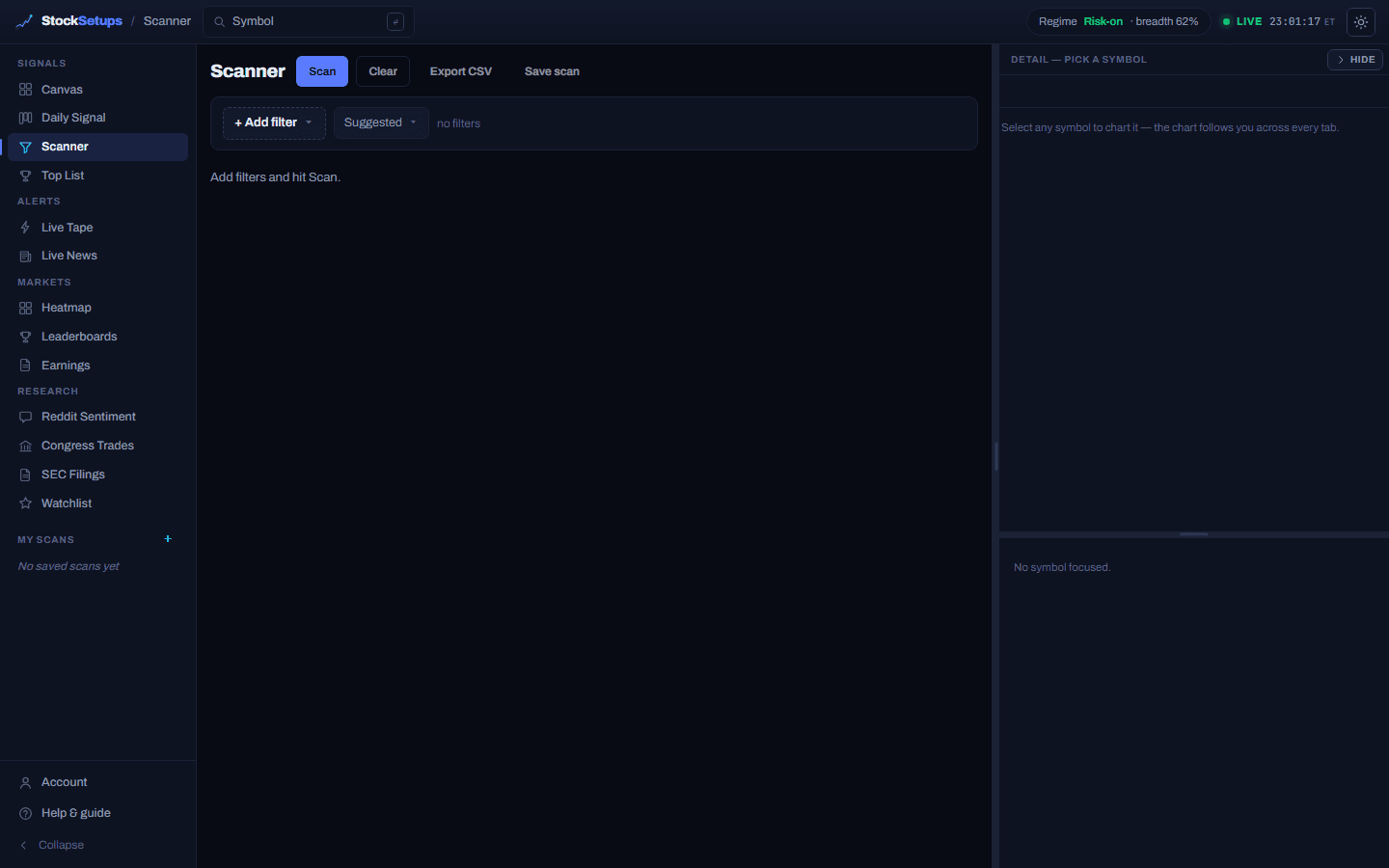
Building a screen
- + Add filter
- Opens a searchable menu grouped by category (Price & Action, Liquidity & Size, Technical, Moving Averages, 52-Week & RS, Valuation, Float & Short, Analyst & Earnings, and more). Pick a field and its input appears.
- Min / Max inputs
- Numeric fields take a min and a max (k/m/b suffixes work). Enum fields show toggle chips; booleans use Any / Yes / No.
- Suggested
- Drop in a pre-built screen as a starting point.
- Scan
- Run the current filter set (≤ 200 rows, paginated).
- Clear
- Remove all filters and reset the results.
- Export CSV
- Download the matched rows as a CSV.
- Save scan (Pro)
- Name the screen and choose Dynamic (the filters re-run each day) or Fixed (a snapshot of today's symbols). Saved scans pin to the My Scans rail in the left nav.
Working with results
Every numeric filter you add becomes a sortable result column. Click a header to sort across the whole result set, drag headers to reorder, drag an edge to resize, and right-click a numeric column for a color gradient. Click any row to chart it in the detail panel.
A field whose column is empty in the latest scan is flagged no data and disabled, so a min/max can't silently return zero rows. No login? The public EOD scanner is the same tool over the whole universe.
Related
Keep exploring
Trading glossaryPlain-English definitions of every pattern, candlestick, indicator and term.Free trading toolsPosition size, risk/reward, pivots and Fibonacci — no signup.Articles & guidesDeeper write-ups on setups, indicators and trading the scan.FAQHow the two engines, the data and the plans actually work.ComparisonsHow StockSetups stacks up against the scanners you know.Live scan hubsSee today's setups for each pattern, updated after every close.